
29 KiB
Progress indicators
Progress indicators express an unspecified wait time or display the length of a process. Progress indicators show the status of a process in real time. There are two variants of progress indicators.

- Linear progress indicator
- Circular progress indicator
Note: Images use various dynamic color schemes.
Design & API documentation
Anatomy

- Active indicator
- Track
- Stop indicator
More details on anatomy items in the component guidelines.
M3 Expressive
M3 Expressive update
Before you can use Material3Expressive component styles, follow the
Material3Expressive themes setup instructions.

Progress indicators have a new rounded, colorful style, and more configurations to choose from, including a wavy shape and variable track height
New configurations:
- Track height: Thick (8dp)
- Shape: Wavy
M3 Expressive styles
Wavy
Wavy progress indicators offer both determinate and indeterminate variants, but also allow you to customize their appearance with various wave parameters for more expressive visuals.

Wavy linear indicators increase the height of the overall container
Note: The wavy shape can make longer processes feel less static and is best used when a more expressive style is appropriate. When using the wavy shape , the overall height of the component changes. At very small sizes, the wavy shape may not be as visible.
There are two variants of wavy progress indicators: Linear and Circular
Linear
Indeterminate

A new variant with wavy tracks is added in expressive. There's no dedicated
theme attribute for this variant added in either Material3 themes or
Material3Expressive themes. It has to be configured by setting the style
as below.
<com.google.android.material.progressindicator.LinearProgressIndicator
    android:id="@+id/linear_progress_indicator"
    style="@style/Widget.Material3Expressive.LinearProgressIndicator.Wavy"
    android:layout_width="match_parent"
    android:layout_height="wrap_content"
    android:indeterminate="true" />
Thick indeterminate

A variant with a thicker track can be configured via trackThickness attribute
as below. The recommended value is 8dp. To keep the track fully rounded, the
trackCornerRadius should be set to 4dp.
<com.google.android.material.progressindicator.LinearProgressIndicator
    android:id="@+id/linear_progress_indicator"
    style="@style/Widget.Material3Expressive.LinearProgressIndicator.Wavy"
    android:layout_width="match_parent"
    android:layout_height="wrap_content"
    android:indeterminate="true"
    app:trackCornerRadius="4dp"
    app:trackThickness="8dp" />
It can also be configured via the attributes like waveLength, waveAmplitude,
etc, for more waviness or thicker track customization.
Circular
Indeterminate

A new variant with wavy tracks is added in Expressive. There's no theme
attribute for this variant added in either Material3 themes or
Material3Expressive themes. It has to be configured by setting the style
as below.
<com.google.android.material.progressindicator.CircularProgressIndicator
    android:id="@+id/circular_progress_indicator"
    style="@style/Widget.Material3Expressive.CircularProgressIndicator.Wavy"
    android:layout_width="match_parent"
    android:layout_height="wrap_content"
    android:indeterminate="true" />
Thick indeterminate

A variant with a thicker track can be configured via trackThickness attribute
as below. The recommended value is 8dp. To keep the track fully rounded,
the trackCornerRadius should be set to 4dp. The indicatorSize is also
recommended to increase to 52dp.
<com.google.android.material.progressindicator.CircularProgressIndicator
    android:id="@+id/circular_progress_indicator"
    style="@style/Widget.Material3Expressive.CircularProgressIndicator.Wavy"
    android:layout_width="match_parent"
    android:layout_height="wrap_content"
    android:indeterminate="true"
    app:indicatorSize="52dp"
    app:trackCornerRadius="4dp"
    app:trackThickness="8dp" />
It can also be configured via the attributes like waveLength, waveAmplitude,
etc. for more waviness or thicker track customization.
Flat
There are two variants of flat progress indicators: Linear and Circular.
Linear
Indeterminate

The default LinearProgressIndicator style in Material3Expressive
themes is the same as the Material3 themes with a 4dp thick flat track,
colorPrimary for indicator color and colorPrimaryContainer for track color.
<com.google.android.material.progressindicator.LinearProgressIndicator
    android:id="@+id/linear_progress_indicator"
    android:layout_width="match_parent"
    android:layout_height="wrap_content"
    android:indeterminate="true" />
Thick indeterminate

To have a thick flat track, it can be configured via trackThickness attribute
as below. The recommended value is 8dp. To keep the track fully rounded,
the trackCornerRadius should be set to 4dp.
<com.google.android.material.progressindicator.LinearProgressIndicator
    android:id="@+id/linear_progress_indicator"
    android:layout_width="match_parent"
    android:layout_height="wrap_content"
    android:indeterminate="true"
    app:trackCornerRadius="4dp"
    app:trackThickness="8dp" />
Circular
Indeterminate

The default CircularProgressIndicator style in Material3Expressive
themes is same as the Material3 themes with a 4dp track, colorPrimary
indicator color and colorPrimaryContainer track color. However, in the
indeterminate mode, it has a new animation and the inactive track is also
visible by default.
<com.google.android.material.progressindicator.CircularProgressIndicator
    android:id="@+id/circular_progress_indicator"
    android:layout_width="wrap_content"
    android:layout_height="wrap_content"
    android:indeterminate="true" />
Thick indeterminate

To have a thick flat track, it can be configured via trackThickness attribute
as below. The recommended value for trackThickness is 8dp. To keep the track
fully rounded, the trackCornerRadius should be set to 4dp. The
indicatorSize is also recommended to increase to 44dp.
<com.google.android.material.progressindicator.CircularProgressIndicator
    android:id="@+id/circular_progress_indicator"
    android:layout_width="match_parent"
    android:layout_height="wrap_content"
    android:indeterminate="true"
    app:indicatorSize="44dp"
    app:trackCornerRadius="4dp"
    app:trackThickness="8dp" />
Key properties
Common attributes
The following attributes are shared between linear and circular progress indicators:
| Element | Attribute | Related method(s) | Default value |
|---|---|---|---|
| Track thickness | app:trackThickness |
setTrackThicknessgetTrackThickness |
4dp |
| Indicator color | app:indicatorColor |
setIndicatorColorgetIndicatorColor |
colorPrimary |
| Track color | app:trackColor |
setTrackColorgetTrackColor |
colorPrimaryContainer (linear)@android:color/transparent (circular) |
| Track corner radius | app:trackCornerRadius |
setTrackCornerRadiussetTrackCornerRadiusFractiongetTrackCornerRadius |
50% |
| Indicator track gap size | app:indicatorTrackGapSize |
setIndicatorTrackGapSizegetIndicatorTrackGapSize |
4dp |
| Show animation behavior | app:showAnimationBehavior |
setShowAnimationBehaviorgetShowAnimationBehavior |
none |
| Hide animation behavior | app:hideAnimationBehavior |
setHideAnimationBehaviorgetHideAnimationBehavior |
none |
| Delay (in ms) to show | app:showDelay |
N/A | 0 |
| Min delay (in ms) to hide | app:minHideDelay |
N/A | 0 |
| Wavelength | app:wavelength |
setWavelength |
0 |
| Wavelength in determinate mode | app:wavelengthDeterminate |
setWavelengthDeterminategetWavelenthDeterminate |
wavelength |
| Wavelength in indeterminate mode | app:wavelengthIndeterminate |
setWavelengthIndeterminategetWavelengthIndeterminate |
wavelength |
| Wave amplitude | app:waveAmplitude |
setWaveAmplitudegetWaveAmplitude |
0 |
| Wave speed | app:waveSpeed |
setWaveSpeedgetWaveSpeed |
0 |
| Indeterminate animator duration scale | app:indeterminateAnimatorDurationScale |
setIndeterminateAnimatorDurationScale |
1 |
| Wave amplitude ramp up progress | app:waveAmplitudeRampProgressMin |
setWaveAmplitudeRampProgressRange |
0.1 |
| Wave amplitude ramp down progress | app:waveAmplitudeRampProgressMax |
setWaveAmplitudeRampProgressRange |
0.9 |
Linear type specific attributes
Linear type progress indicators also have the following attributes:
| Element | Attribute | Related method(s) | Default value |
|---|---|---|---|
| Indeterminate animation type | app:indeterminateAnimationType |
setIndeterminateAnimationTypegetIndeterminateAnimationType |
disjoint |
| Indicator direction | app:indicatorDirectionLinear |
setIndicatorDirectiongetIndicatorDirection |
leftToRight |
| Track stop indicator size | app:trackStopIndicatorSize |
setTrackStopIndicatorSizegetTrackStopIndicatorSize |
4dp |
| Track stop indicator padding | app:trackStopIndicatorPadding |
setTrackStopIndicatorPaddinggetTrackStopIndicatorPadding |
none |
| Track inner corner radius | app:trackInnerCornerRadius |
setTrackInnerCornerRadiussetTrackInnerCornerRadiusFractiongetTrackInnerCornerRadius |
none (use trackCornerRadius) |
Circular type specific attributes
Circular type progress indicators also have the following attributes:
| Element | Attribute | Related method(s) | Default value |
|---|---|---|---|
| Spinner size (outer diameter) | app:indicatorSize |
setIndicatorSizegetIndicatorSize |
40dp |
| Inset | app:indicatorInset |
setIndicatorInsetgetIndicatorInset |
4dp |
| Indicator direction | app:indicatorDirectionCircular |
setIndicatorDirectiongetIndicatorDirection |
clockwise |
| Indeterminate animation type | app:indeterminateAnimationTypeCircular |
setIndeterminateAnimationTypegetIndeterminateAnimationType |
advance |
Styles
| Element | Style | Theme attribute |
|---|---|---|
| Default linear style |
Widget.Material3.LinearProgressIndicator |
?attr/linearProgressIndicatorStyle |
| Default circular style |
Widget.Material3.CircularProgressIndicator |
?attr/circularProgressIndicatorStyle |
| Medium circular style |
Widget.Material3.CircularProgressIndicator.Medium |
NA |
| Small circular style |
Widget.Material3.CircularProgressIndicator.Small |
NA |
| Extra small circular style |
Widget.Material3.CircularProgressIndicator.ExtraSmall |
NA |
For the full list, see styles and attributes.
Non-text contrast update
In order to comply with the latest accessibility requirements, the
LinearProgressIndicator and CircularProgressIndicator have been updated with
additional attributes:
app:indicatorTrackGapSize: size of the gap between the indicator and the track, 4dp by default.app:trackStopIndicatorSize: size of the stop at the end of the track, 4dp by default. Only applies to the linear determinate configuration.
*.Legacy styles have been added to revert to the previous behavior (not
recommended):
Widget.Material3.LinearProgressIndicator.LegacyWidget.Material3.CircularProgressIndicator.Legacy
Variants of progress indicators
Material design offers two visually distinct types of progress indicators:
- Linear
- Circular
Note: Only one type should represent each kind of activity in an app. For example, if a refresh action displays a circular indicator on one screen, that same action shouldn’t use a linear indicator elsewhere in the app.
Progress indicators behave differently based on the time of progress being tracked:
- Determinate progress indicators fill from 0% to 100%. Use it when progress and wait time is known.
- Indeterminate progress indicators move along a fixed track, growing and shrinking in size. Use it when progress and wait time is unknown.

- Determinate
- Indeterminate
Linear progress indicators
Linear progress indicators display progress by animating an indicator along the length of a fixed, visible track. The behavior of the indicator is dependent on whether the progress of a process is known.
Linear progress indicators support both determinate and indeterminate operations.
- Determinate operations display the indicator increasing in width from 0 to 100% of the track, in sync with the process’s progress.
- Indeterminate operations display the indicator continually growing and shrinking along the track until the process is complete.
API and source code:
LinearProgressIndicator
The following example shows a determinate linear progress indicator.

In the layout:
<com.google.android.material.progressindicator.LinearProgressIndicator
  android:layout_width="match_parent" android:layout_height="wrap_content" />
The following example shows an indeterminate linear progress indicator.
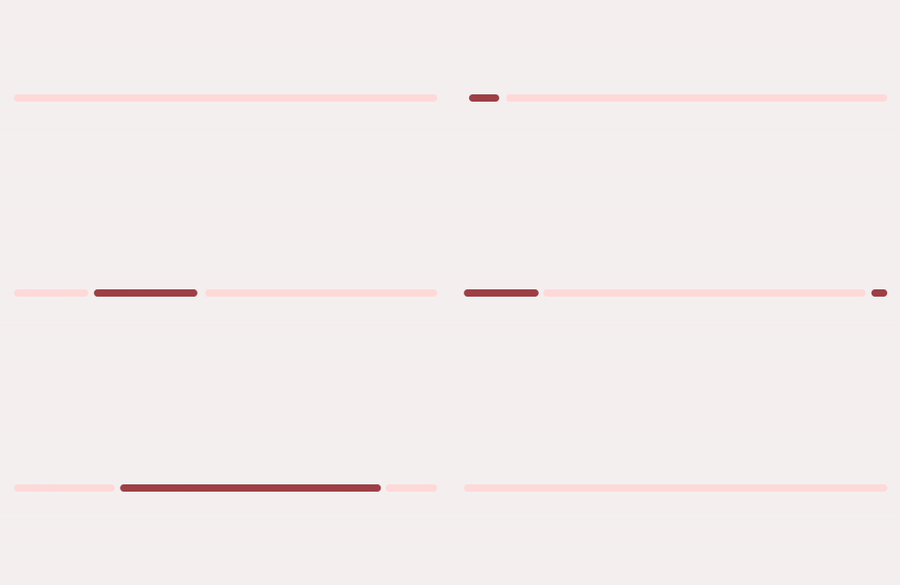
In the layout:
<com.google.android.material.progressindicator.LinearProgressIndicator
  android:layout_width="match_parent" android:layout_height="wrap_content"
  android:indeterminate="true" />
Multi-color indeterminate animation type
For linear progress indicator, there are two indeterminate animation types:
-
disjoint- animates as repeated cycles with two disjoint segments in the same color at a time.
-
contiguous- animates as repeated cycles with three adjacent segments in different colors.
Note: There is a minimum requirement of 3 indicator colors to use the contiguous animation. Otherwise, an IllegalArgumentException will be thrown.
Circular progress indicators
Circular progress indicators display progress by animating an indicator along an invisible circular track in a clockwise direction. They can be applied directly to a surface, such as a button or card.
Circular progress indicators support both determinate and indeterminate processes.
- Determinate circular indicators fill the invisible, circular track with color, as the indicator moves from 0 to 360 degrees.
- Indeterminate circular indicators grow and shrink in size while moving along the invisible track.
API and source code:
CircularProgressIndicator
The following example shows a determinate circular progress indicator.

In the layout:
<com.google.android.material.progressindicator.CircularProgressIndicator
  android:layout_width="wrap_content" android:layout_height="wrap_content" />
The following example shows an indeterminate circular progress indicator.

In the layout:
<com.google.android.material.progressindicator.CircularProgressIndicator
  android:layout_width="wrap_content" android:layout_height="wrap_content"
  android:indeterminate="true" />
Code implementation
Before you can use progress indicators, you need to add a dependency to the Material components for Android library. For more information, go to the Getting started page.
Progress indicators inform users about the status of ongoing processes, such as loading an app, submitting a form, or saving updates. They communicate an app’s state and indicate available actions, such as whether users can navigate away from the current screen.
Note: When displaying progress for a sequence of processes, indicate overall progress rather than the progress of each activity.
Adding determinate progress indicators
A determinate progress indicator can be added to a layout:
<!-- Linear progress indicator -->
<com.google.android.material.progressindicator.LinearProgressIndicator
  android:layout_width="match_parent"
  android:layout_height="wrap_content" /><!-- Circular progress indicator -->
<com.google.android.material.progressindicator.CircularProgressIndicator
android:layout_width="wrap_content" android:layout_height="wrap_content" />
Adding indeterminate progress indicators
An indeterminate progress indicator can be added:
<!-- Linear progress indicator -->
<com.google.android.material.progressindicator.LinearProgressIndicator
  android:layout_width="match_parent" android:layout_height="wrap_content"
  android:indeterminate="true" /><!-- Circular progress indicator -->
<com.google.android.material.progressindicator.CircularProgressIndicator
android:layout_width="wrap_content" android:layout_height="wrap_content"
android:indeterminate="true" />
Switching from indeterminate to determinate
Indeterminate progress indicators can smoothly transit to determinate progress
indicators by setting the progress programmatically:
int progress = getLoadingProgress ()
indicator.setProgressCompat(progress, true)
Note: Once indeterminate progress indicators are switched to the determinate
mode (or initialized as determinate), they can be set back to indeterminate mode
via calling the setIndeterminate(true) method.
Making progress indicators accessible
Progress indicators inherit accessibility support from the ProgressBar class
in the framework. Please consider setting the content descriptor for use with
screen readers.
That can be done in XML via the android:contentDescription attribute or
programmatically like so:
progressIndicator.contentDescription = contentDescription
Note: Depending on the track thickness of the linear progress indicator, the
component could be less than or equal to 4dp tall. There's a known limitation in
the focus indicator (green box) while using the talkback. It will fail to draw
the focus indicator, if the component bounds is less than or equal to 4dp in
either dimension. Consider to use android:paddingTop and
android:paddingBottom to increase the bounds height when available.
Customizing progress indicators
Theming progress indicators
Progress indicators support the customization of color and size.
API and source code:
LinearProgressIndicatorCircularProgressIndicator
The following example shows a circular progress indicator with Material theming.

Implementing progress indicator theming
Use theme attributes and styles in res/values/styles.xml, which applies to all
circular progress indicators and affects other components:
<style name="Theme.App" parent="Theme.Material3.*">
  ...
  <item name="colorPrimary">@color/shrine_pink_100</item>
</style>
Use a default type theme attribute, styles and a theme overlay, which applies to all circular progress indicators but does not affect other components:
<style name="Theme.App" parent="Theme.Material3.*">
  ...
  <item name="circularProgressIndicatorStyle">
    @style/Widget.App.CircularProgressIndicator
  </item>
</style>

<style name="Widget.App.CircularProgressIndicator"
parent="Widget.Material3.CircularProgressIndicator.Legacy">
<item name="materialThemeOverlay">
  @style/ThemeOverlay.App.CircularProgressIndicator
</item>
<item name="trackThickness">20dp</item>
</style>

<style name="ThemeOverlay.App.CircularProgressIndicator" parent="">
<item name="colorPrimary">@color/shrine_pink_100</item>
</style>
Use the style in the layout, which affects only this specific circular progress indicator:
<com.google.android.material.progressindicator.CircularProgressIndicator...style="@style/Widget.App.CircularProgressIndicator" />
Showing or hiding the progress indicator
By default, the progress indicator will be shown or hidden without animations.
You can change the animation behaviors via app:showAnimationBehavior (or
setShowAnimationBehavior method) and app:hideAnimationBehavior (or
setHideAnimationBehavior method).
The modes of behaviors are:
none(default) - shows/hides the view immediately when the visibility is being changed viashow,hideorsetVisibilitymethod.outward- for the linear type, shows the view by expanding from the baseline (or bottom edge) and hides the view by collapsing to the top edge; for the circular type, shows the view by expanding from the inner edge and hides the view by collapsing to the outer edge.inward- for the linear type, shows the view by expanding from the top edge and hides the view by collapsing to the baseline (bottom edge); for the circular type, shows the view by expanding from the outer edge and hides the view by collapsing to the inner edge.escape- for the linear type, escapes in the progression direction; for the circular type, no effect.
When the hide animation behavior is not none, the visibility of the view will be
changed after the animation finishes. Please use setVisibilityAfterHide method
to set the target visibility as Visibility.INVISIBLE (default) or
Visibility.GONE.
Adding rounded corners
Progress indicators can have rounded corners via app:trackCornerRadius (in dp
or fraction) or the setTrackCornerRadius and setTrackCornerRadiusFraction
methods.