 97b5264fcc
This PR migrates almost all in-comment links that points to the main
branch of flutter/engine repository to the flutter/flutter repository,
ensuring that such links are always up to date.

I've manually verified that all links are valid. There are a few cases
where the migration is not so trivial and I had to look up for the
updated location or line number, but I'm pretty sure the new value is
correct.

The only place that I don't know how to migrate is two links in
[Upgrading-pre-1.12-Android-projects.md](https://github.com/flutter/flutter/blob/master/docs/platforms/android/Upgrading-pre-1.12-Android-projects.md)
pointing to
`https://github.com/flutter/engine/blob/main/shell/platform/android/io/flutter/app/FlutterActivity.java`,
which I guess no longer exists.

There are still many links that point to a specific branch or revision
of the engine repo. I don't think we need to migrate these links, since
they're probably not meant to be kept up to date.

## Pre-launch Checklist

- [ ] I read the [Contributor Guide] and followed the process outlined
there for submitting PRs.
- [ ] I read the [Tree Hygiene] wiki page, which explains my
responsibilities.
- [ ] I read and followed the [Flutter Style Guide], including [Features
we expect every widget to implement].
- [ ] I signed the [CLA].
- [ ] I listed at least one issue that this PR fixes in the description
above.
- [ ] I updated/added relevant documentation (doc comments with `///`).
- [ ] I added new tests to check the change I am making, or this PR is
[test-exempt].
- [ ] I followed the [breaking change policy] and added [Data Driven
Fixes] where supported.
- [ ] All existing and new tests are passing.

If you need help, consider asking for advice on the #hackers-new channel
on [Discord].

<!-- Links -->
[Contributor Guide]:
https://github.com/flutter/flutter/blob/main/docs/contributing/Tree-hygiene.md#overview
[Tree Hygiene]:
https://github.com/flutter/flutter/blob/main/docs/contributing/Tree-hygiene.md
[test-exempt]:
https://github.com/flutter/flutter/blob/main/docs/contributing/Tree-hygiene.md#tests
[Flutter Style Guide]:
https://github.com/flutter/flutter/blob/main/docs/contributing/Style-guide-for-Flutter-repo.md
[Features we expect every widget to implement]:
https://github.com/flutter/flutter/blob/main/docs/contributing/Style-guide-for-Flutter-repo.md#features-we-expect-every-widget-to-implement
[CLA]: https://cla.developers.google.com/
[flutter/tests]: https://github.com/flutter/tests
[breaking change policy]:
https://github.com/flutter/flutter/blob/main/docs/contributing/Tree-hygiene.md#handling-breaking-changes
[Discord]:
https://github.com/flutter/flutter/blob/main/docs/contributing/Chat.md
[Data Driven Fixes]:
https://github.com/flutter/flutter/blob/main/docs/contributing/Data-driven-Fixes.md
3.0 KiB
Frame Capture with RenderDoc
RenderDoc is a graphics debugger that can be used to capture frames. With Impeller starting to support OpenGL ES and Vulkan backends, RenderDoc can provide insights into the application's frames.
-
First step is to set up RenderDoc. Follow the quickstart instructions. For the purposes of this guide it is assumed that you are able to get RenderDoc running. If the RenderDoc installed from your package manager crashes on startup, consider building from source.
-
The next step would be to run the application you wish the capture the frames of. Typically these would be one of the playground tests, for example those in entity_unittests.cc. To build these, do:
# In your $ENGINE_SRC folder, do:

./flutter/tools/gn --unopt
ninja -C out/host_debug_unopt/
Building a "debug_unopt" build ensures that you have tracing enabled. Without this, RenderDoc will not have much to show.
-
Start RenderDoc and (if necessary) select "Launch Application" button from the menu:
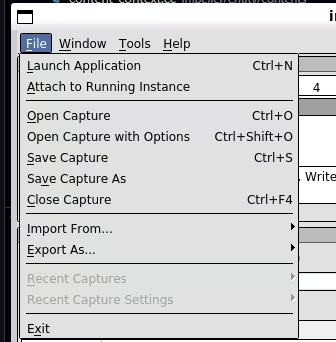
On Linux, the executable is
qrenderdoc.You may also need to click the message that says "Click here to set up Vulkan capture". This will probably be needed if you built from source.
-
Fill out the configuration fields. Here, we will configure RenderDoc to specifically capture the "CanDrawRect" test:
- executable path:
$ENGINE_SRC/out/host_debug/impeller_unittests(expandENGINE_SRC). - working directory:
$ENGINE_SRC(expandENGINE_SRC) - command-line arguments:
--gtest_filter="*CanDrawRect/Vulkan*" --enable_playground
- executable path:
-
Click "Launch". If everything is working, you'll get a window with the selected unit test rendering, with a prompt in the top-left corner telling you to press
F12orPrint Screento capture a frame. (If you do not, try capturing a different program, like factorio. On at least one occasion that has shaken things loose, though we have no explanation for why.)Press
ESCto move on to the next test. -
For the frame you wish to capture, press
F12, you will now be able to see the frame capture and inspect the state: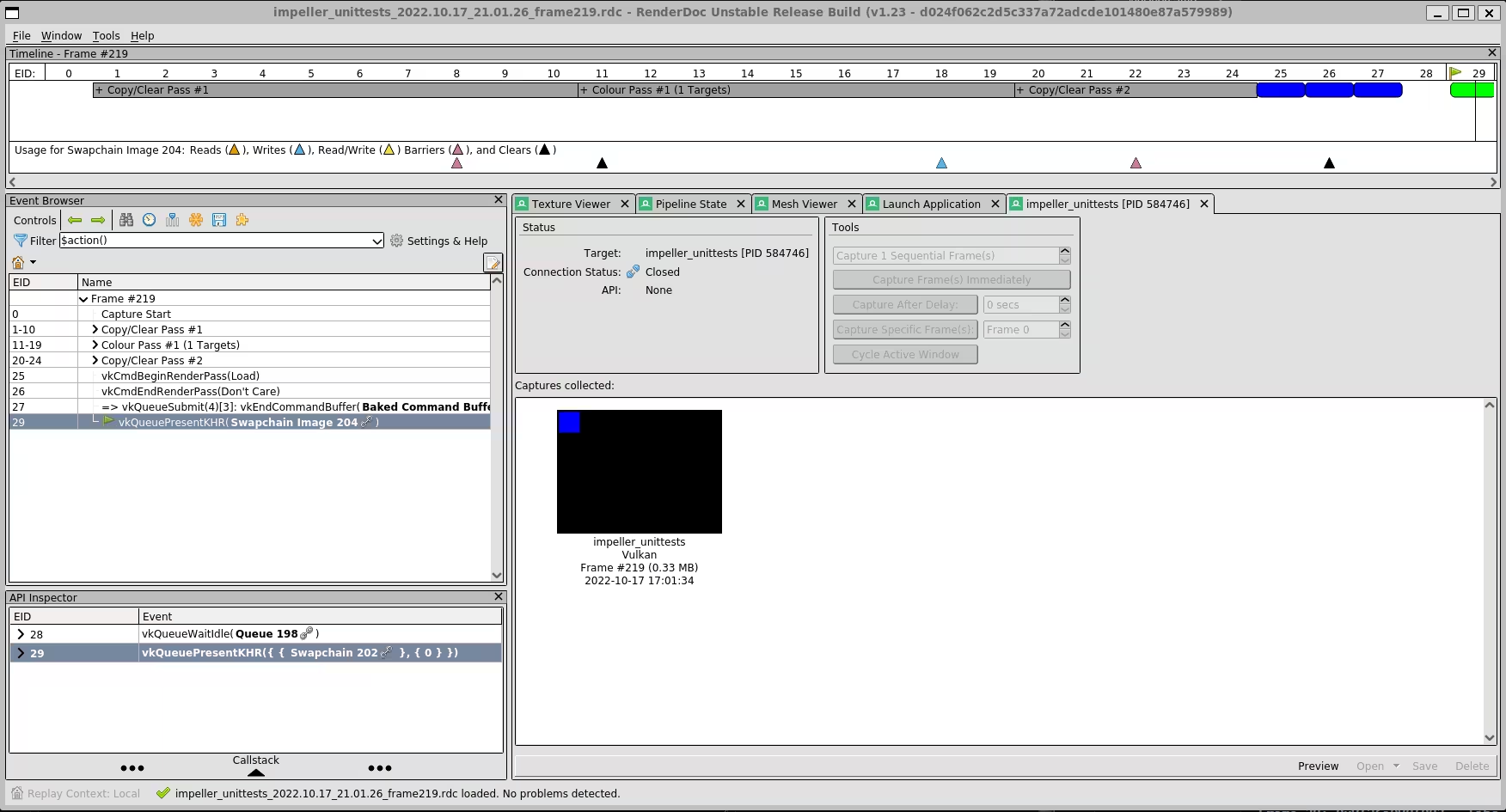
See also: