 74d20a2069
* 📝 docs: update docs

* 📝 docs: update plugin docs

* 📝 docs: update plugin docs

* 📝 docs: update plugin docs

* 📝 docs: update plugin docs

* 📝 docs: update plugin docs

* 📝 docs: add plugin docs

* 📝 docs: add plugin en docs

* 📝 docs: fix plugin docs
2.4 KiB
| title | group | order | ||||
|---|---|---|---|---|---|---|
| Plugin Settings |
|
4 |
Plugin Settings
If you want to add some settings in the plugin, you can add a settings field in the manifest to mark the plugin's settings. This field is also based on JSON Schema, used to describe the plugin's settings.
For example, in the manifest of the search engine plugin, the following configuration is defined:
{
  "settings": {
    "type": "object",
    "required": ["SERPAPI_API_KEY"],
    "properties": {
      "SERPAPI_API_KEY": {
        "title": "SerpAPI API Key",
        "description": "we use SerpAPI as backend service [Learn more](https://github.com/lobehub/chat-plugin-search-engine)",
        "type": "string",
        "minLength": 64,
        "maxLength": 64,
        "format": "password"
      }
    }
  }
  // ...
}
After enabling this plugin, LobeChat will display an input box for entering the SerpAPI API Key, as shown in the image below:

Using Plugin Settings
In the plugin server, the request from the gateway will carry the corresponding settings information in the request headers. You can use getPluginSettingsFromRequest to obtain the settings information.
import {
  PluginErrorType,
  createErrorResponse,
  getPluginSettingsStringFromRequest,
} from '@lobehub/chat-plugin-sdk';

export default async (req: Request) => {
  // Obtain the settings information
  const settings = getPluginSettingsStringFromRequest<Settings>(req);

  if (!settings)
    // If not obtained successfully, you can trigger the plugin configuration interface
    // by sending PluginErrorType.PluginSettingsInvalid
    return createErrorResponse(PluginErrorType.PluginSettingsInvalid, {
      message: 'Plugin settings not found.',
    });

  // ...
};
If the settings information retrieval fails, we strongly recommend returning the PluginErrorType.PluginSettingsInvalid error to trigger the plugin configuration card and improve the user experience for plugin configuration.
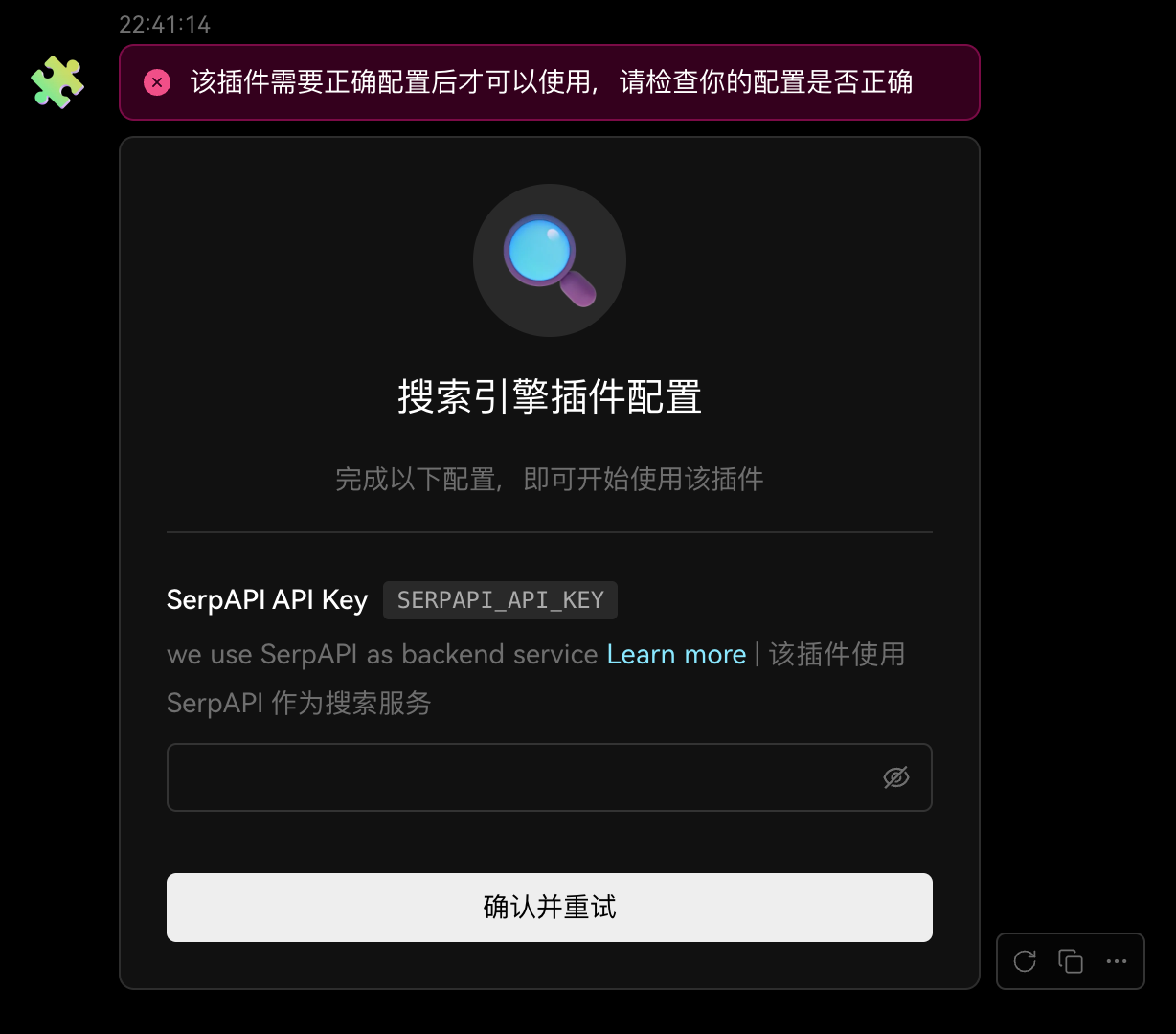
For more information about PluginErrorType, please refer to: PluginErrorType.