
4.9 KiB

 Catppuccin for Web File Explorer Icons





Previews
🌻 Latte

🪴 Frappé
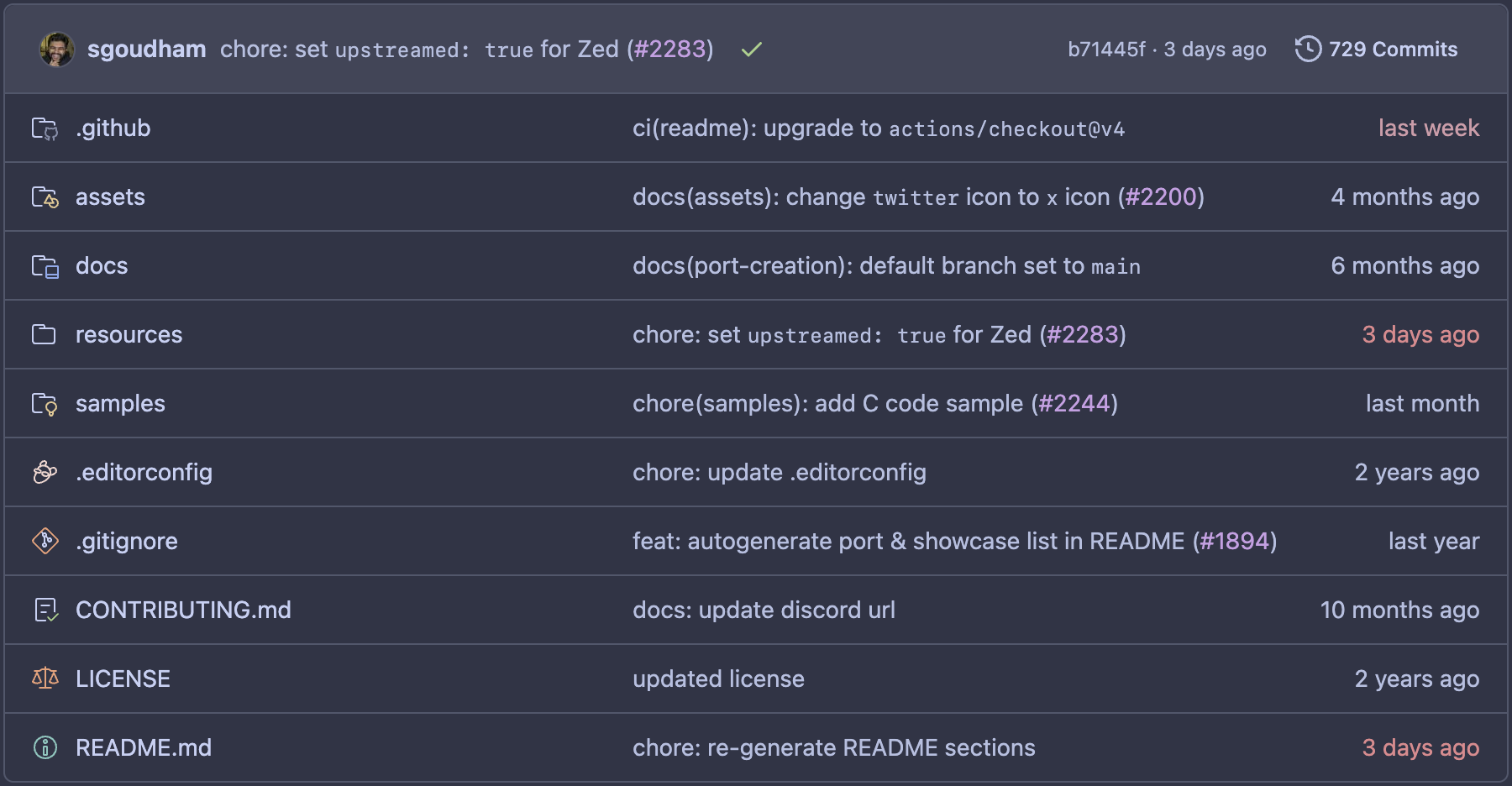
🌺 Macchiato

🌿 Mocha

About
Applies Catppuccin-themed code/file icons to file explorers on the following sites/platforms:
Usage
Marketplace
The extension is available on the Chrome Web Store and through Firefox Add-ons.
Note
The Microsoft Edge Add-ons extension store is no longer supported (past v1.5.0). Please switch to the Chrome Web Store instead.
Manual
See the assets section at the bottom of the latest release for pre-compiled zips of the extension. The Chrome zip will work for any Chromium browser (Microsoft Edge, Opera, Arc, etc.).
Chrome
- Unzip the
catppuccin-web-file-explorer-icons-<version>-chrome.zipasset from the latest release. - Open the Extensions page by navigating to
chrome://extensions. - Enable Developer Mode (if not already enabled) by flipping the toggle switch labeled Developer mode.
- Click the Load unpacked button and select the unzipped directory from Step 1.
Firefox
- Open the Add-ons page by navigating to
about:addons. - Click the cog/settings icon in line with the "Manage Your Extensions" heading, and select Debug Add-ons.
- Click the Load Temporary Add-on... button and select the
catppuccin-web-file-explorer-icons-<version>-firefox.zipasset from the latest release.
Customization
This extension aims to provide the same configuration options as catppuccin/vscode-icons does. The flavor of icons, custom associations, as well as the monochrome & specificFolders options, can be customized in the extension's popup window (click the extension icon in your browser toolbar to reveal the popup).
🙋 FAQ
- Q: "How can I enable this extension on a custom domain?"
A: See fregante.github.io/webext-permission-toggle.

Contributing
💝 Thanks to

Copyright © 2021-present Catppuccin Org
