mirror of
https://github.com/material-components/material-components-ios.git
synced 2026-02-20 08:27:32 +08:00
 4629b52279
Part of Internal issue b/123214915. Screenshot after adding this example: 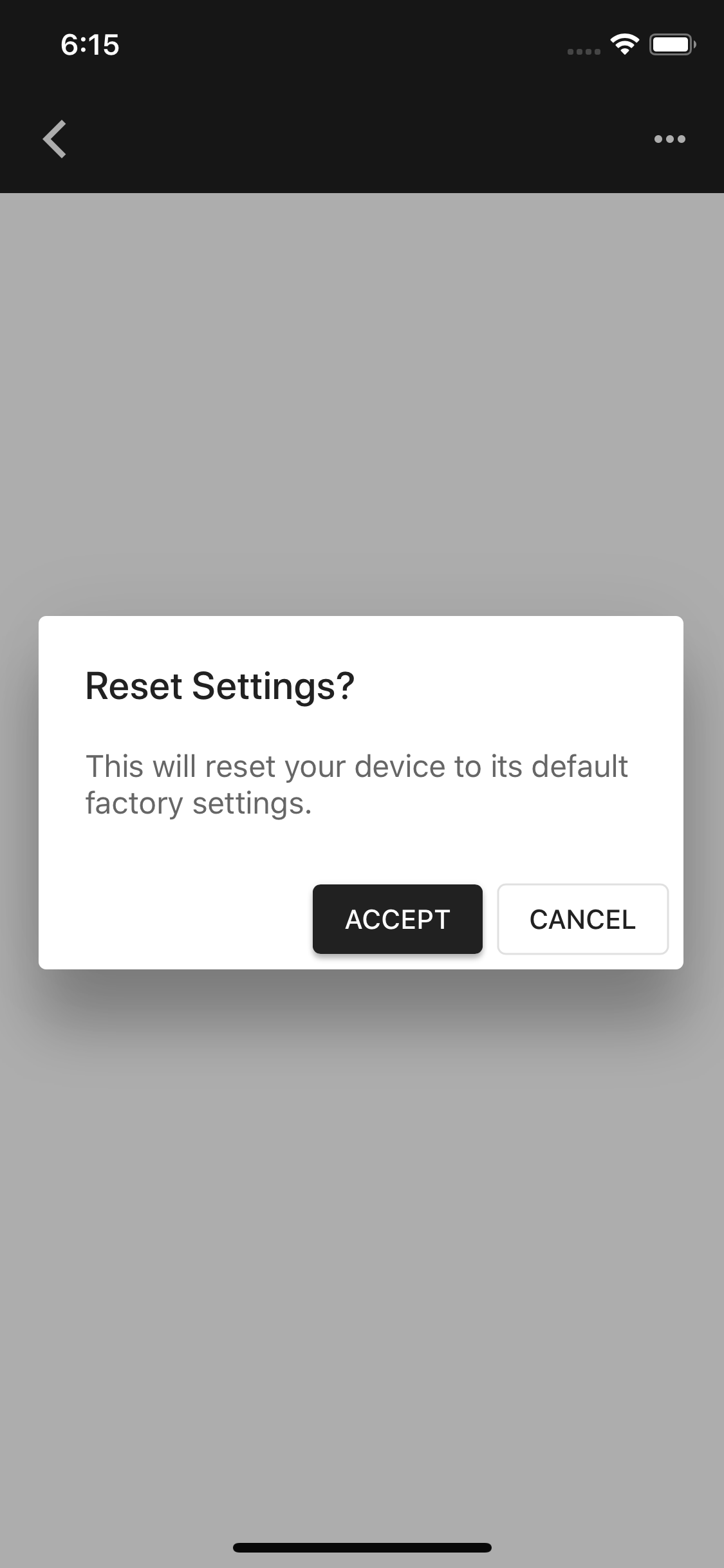

87 lines
3.3 KiB
Swift
87 lines
3.3 KiB
Swift
// Copyright 2019-present the Material Components for iOS authors. All Rights Reserved.
|
|
//
|
|
// Licensed under the Apache License, Version 2.0 (the "License");
|
|
// you may not use this file except in compliance with the License.
|
|
// You may obtain a copy of the License at
|
|
//
|
|
// http://www.apache.org/licenses/LICENSE-2.0
|
|
//
|
|
// Unless required by applicable law or agreed to in writing, software
|
|
// distributed under the License is distributed on an "AS IS" BASIS,
|
|
// WITHOUT WARRANTIES OR CONDITIONS OF ANY KIND, either express or implied.
|
|
// See the License for the specific language governing permissions and
|
|
// limitations under the License.
|
|
|
|
import UIKit
|
|
|
|
import MaterialComponents.MaterialButtons
|
|
import MaterialComponents.MaterialDialogs
|
|
import MaterialComponentsBeta.MaterialButtons_Theming
|
|
import MaterialComponentsBeta.MaterialContainerScheme
|
|
import MaterialComponentsBeta.MaterialDialogs_Theming
|
|
|
|
class DialogsWithEmphasisButtonExampleViewController: UIViewController {
|
|
|
|
private let materialButton = MDCButton()
|
|
var containerScheme = MDCContainerScheme()
|
|
|
|
override func viewDidLoad() {
|
|
super.viewDidLoad()
|
|
|
|
view.backgroundColor = containerScheme.colorScheme?.backgroundColor ??
|
|
MDCSemanticColorScheme(defaults: .material201804).backgroundColor
|
|
|
|
materialButton.translatesAutoresizingMaskIntoConstraints = false
|
|
materialButton.setTitle("Material Alert With Emphasis Buttons", for: .normal)
|
|
materialButton.sizeToFit()
|
|
materialButton.addTarget(self, action: #selector(tapMaterial), for: .touchUpInside)
|
|
materialButton.applyTextTheme(withScheme: containerScheme)
|
|
self.view.addSubview(materialButton)
|
|
|
|
NSLayoutConstraint.activate([
|
|
NSLayoutConstraint(item:materialButton,
|
|
attribute: .centerX,
|
|
relatedBy: .equal,
|
|
toItem: self.view,
|
|
attribute: .centerX,
|
|
multiplier: 1.0,
|
|
constant: 0.0),
|
|
NSLayoutConstraint(item: materialButton,
|
|
attribute: .centerY,
|
|
relatedBy: .equal,
|
|
toItem: self.view,
|
|
attribute: .centerY,
|
|
multiplier: 1.0,
|
|
constant: 0.0)
|
|
])
|
|
}
|
|
|
|
@objc func tapMaterial(_ sender: Any) {
|
|
let title = "Reset Settings?"
|
|
let message = "This will reset your device to its default factory settings."
|
|
let alertController = MDCAlertController(title: title, message: message)
|
|
let mediumEmphasisAction = MDCAlertAction(title: "Cancel", emphasis: .medium, handler: nil)
|
|
mediumEmphasisAction.accessibilityIdentifier = "Cancel"
|
|
let highEmphasisAction = MDCAlertAction(title: "Accept", emphasis: .high, handler: nil)
|
|
highEmphasisAction.accessibilityIdentifier = "Accept"
|
|
|
|
alertController.addAction(mediumEmphasisAction)
|
|
alertController.addAction(highEmphasisAction)
|
|
|
|
alertController.applyTheme(withScheme: containerScheme)
|
|
present(alertController, animated: true, completion: nil)
|
|
}
|
|
}
|
|
|
|
extension DialogsWithEmphasisButtonExampleViewController {
|
|
|
|
class func catalogMetadata() -> [String: Any] {
|
|
return [
|
|
"breadcrumbs": ["Dialogs", "Dialog with Themed Emphasis Buttons"],
|
|
"primaryDemo": false,
|
|
"presentable": true,
|
|
]
|
|
}
|
|
}
|
|
|