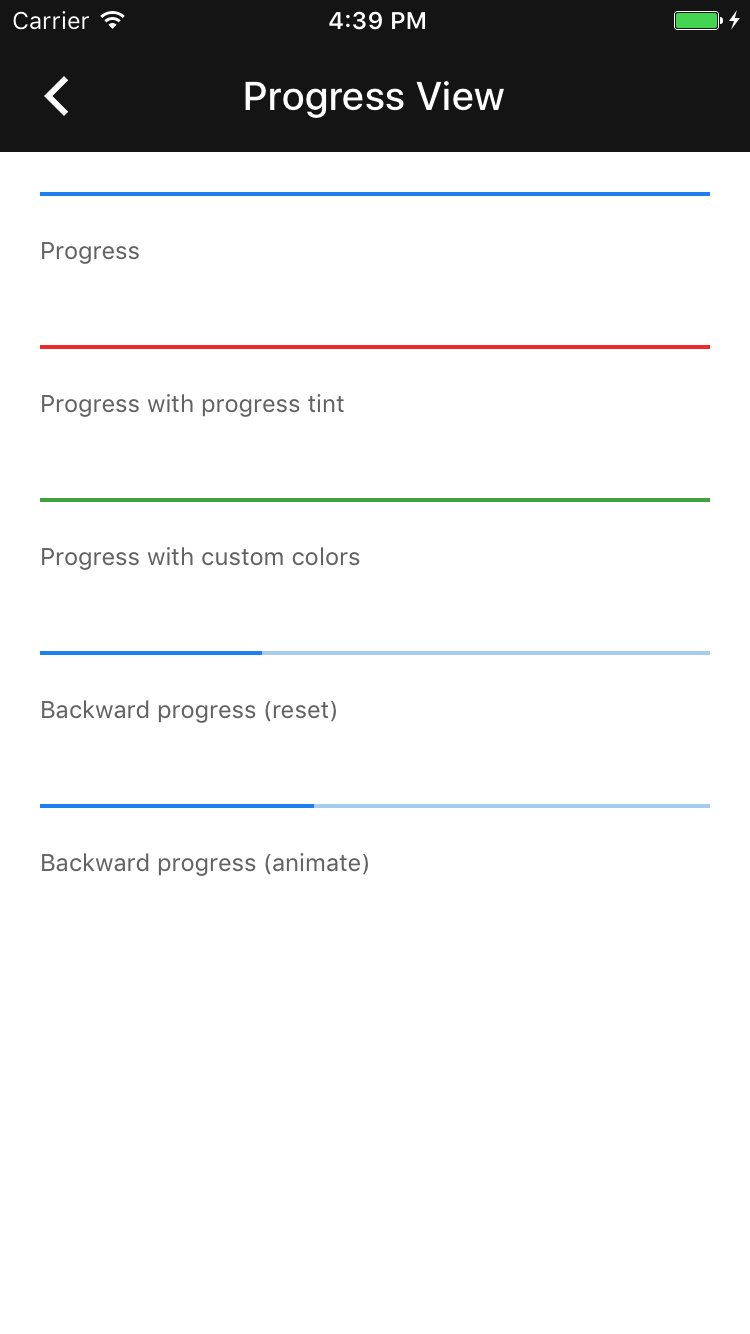
# Progress view
[](https://github.com/material-components/material-components-ios/issues?q=is%3Aopen+is%3Aissue+label%3Atype%3ABug+label%3A%5BProgressView%5D)
Progress view is a linear progress indicator that implements Material Design animation and layout.
## Design & API documentation
## Related components
**Contents**
- [Overview](#overview)
- [Installation](#installation)
- [Installation with CocoaPods](#installation-with-cocoapods)
- [Importing](#importing)
- [Usage](#usage)
- [Typical use](#typical-use)
- [Differences From UIProgressView](#differences-from-uiprogressview)
- [Accessibility](#accessibility)
- [MDCProgressView](#mdcprogressview)
- - -
## Overview
The `MDCProgressView` control is designed to be a drop-in replacement for `UIProgressView`. The API
methods are the same as a `UIProgressView`, with the addition of a few key methods required to
achieve the desired animation of the control.
## Installation
### Installation with CocoaPods
Add the following to your `Podfile`:
```bash
pod 'MaterialComponents/ProgressView'
```
Then, run the following command:
```bash
pod install
```
### Importing
To import the component:
#### Swift
```swift
import MaterialComponents.MaterialProgressView
```
#### Objective-C
```objc
#import "MaterialProgressView.h"
```
## Usage
### Typical use
Add the progress view to your view hierarchy like you would with any other view.
**NOTE**: We recommend adding the progress view to the bottom of a view.
**Step 1: Add the progress view to a view**
Add the progress view to a view and set the desired progress and hidden state.
#### Swift
```swift
let progressView = MDCProgressView()
progressView.progress = 0
let progressViewHeight = CGFloat(2)
progressView.frame = CGRect(x: 0, y: view.bounds.height - progressViewHeight, width: view.bounds.width, height: progressViewHeight)
view.addSubview(progressView)
```
#### Objective-C
```objc
@property(nonatomic) MDCProgressView *progressView;
...
// Progress view configuration.
self.progressView = [[MDCProgressView alloc] initWithFrame:myframe];
self.progressView.progress = 0; // You can also set a greater progress for actions already started.
[self.view addSubview:self.progressView];
```
**Step 2: Change the progress and hidden state**
Both the progress and the hidden state can be animated, with a completion block.
#### Swift
```swift
func startAndShowProgressView() {
progressView.progress = 0
progressView.setHidden(false, animated: true)
}
func completeAndHideProgressView() {
progressView.setProgress(1, animated: true) { (finished) in
self.progressView.setHidden(true, animated: true)
}
}
```
#### Objective-C
```objc
- (void)startAndShowProgressView {
self.progressView.progress = 0;
[self.progressView setHidden:NO animated:YES completion:nil];
}
- (void)completeAndHideProgressView {
__weak __typeof__(self) weakSelf = self;
[self.progressView setProgress:1 animated:YES completion:^(BOOL finished){
[weakSelf.progressView setHidden:YES animated:YES completion:nil];
}];
}
```
## Differences From UIProgressView
This progress view provides an animation effect when showing and hiding it: it grows up (resp.
shrinks down). Additionally, all animated changes APIs take an optional completion block, to
synchronize multistep animations.
## Accessibility
### MDCProgressView
#### `-accessibilityValue`
Like UIProgressView, MDCProgressView's `accessibilityValue` is based on the current value of the ProgressView's
`progress` property. Also like UIProgressView, this `accessibilityValue` takes the form of a whole number
percentage. To ensure the same behavior between the two classes, the MDCProgressView class has a static
UIProgressView that instances query for its `accessibilityValue` whenever they need to provide their own.
The ProgressView announces a new `accessibilityValue` whenever its `progress` changes if VoiceOver is on.