### The problem
ActionSheet previously didn't have a color themer at all.
### The fix
This adds a color themer to ActionSheet, as well as test to test these use cases
### Related issues
#5039
### Code snippet
#### Swift
```
let actionSheet = MDCActionSheetController()
MDCActionSheetColorThemer.applySemanticColorScheme(colorScheme, to: actionSheet)
```
#### ObjC
```
MDCActionSheetController *actionSheet = [[MDCActionSheetController alloc] init];
[MDCActionSheetColorThemer applySemanticColorScheme:self.colorScheme
toActionSheetController:actionSheet];
```
### Screenshots
| Before | After |
| ------ | ----- |
|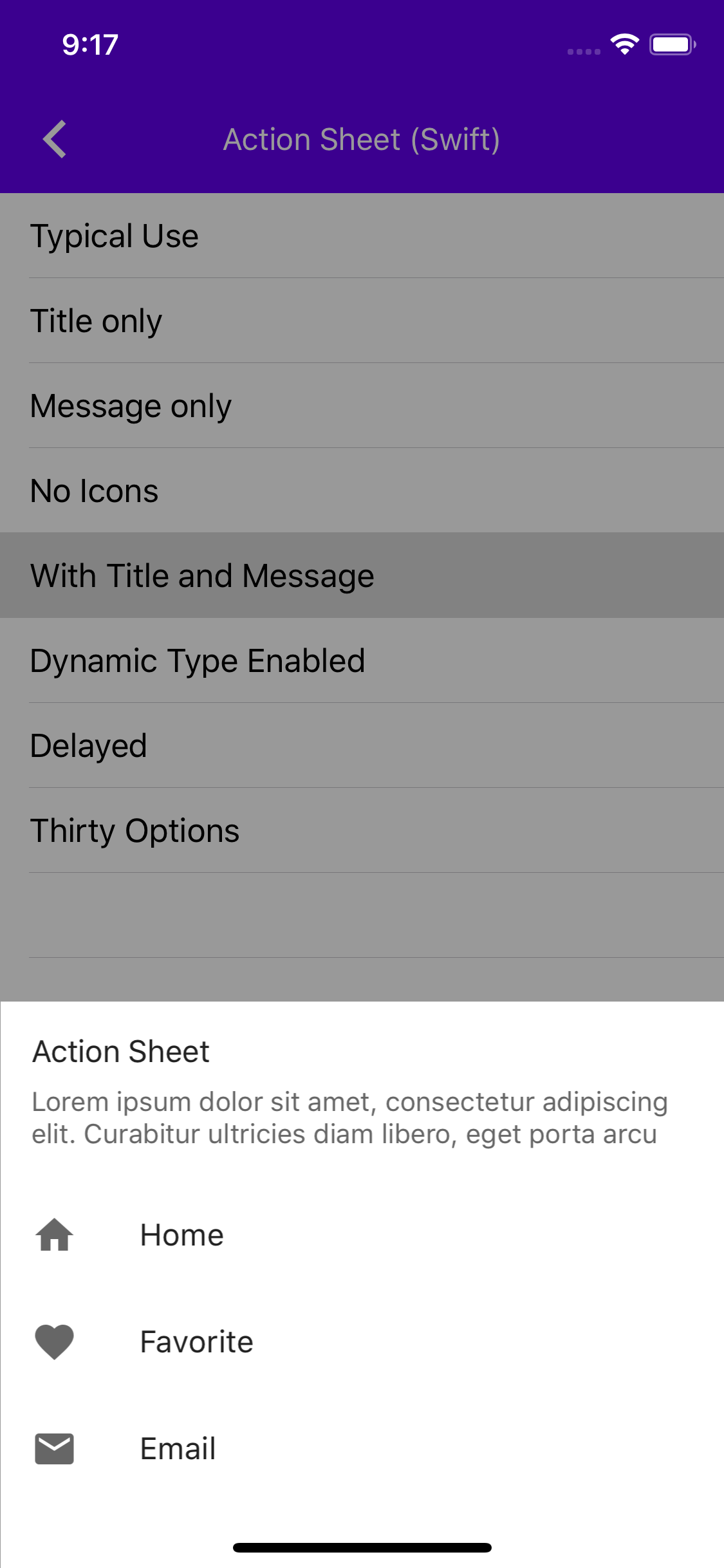|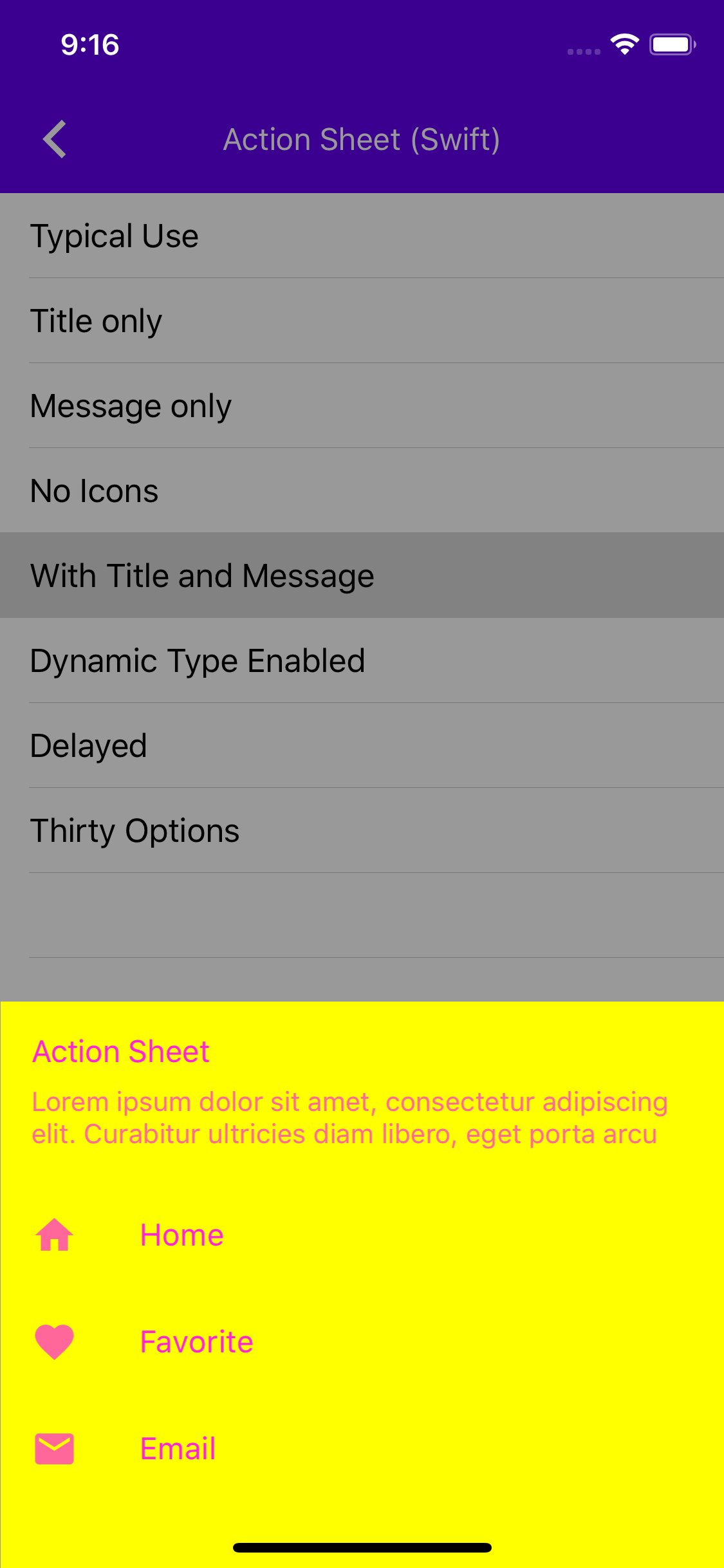|
_Screenshot generated with_
```
self.colorScheme.surfaceColor = .yellow
self.colorScheme.onSurfaceColor = .magenta
```
See docs for test_spec here: https://blog.cocoapods.org/CocoaPods-1.3.0/

test_spec is an official CocoaPods mechanism for associating tests with a component. tests_spec has several advantages over our prior "tests as a podspec" hack:

- We can finally run individual tests from Xcode's inline green "test" button that shows up alongside each test in the editor.
- Tests can import private header files from components from .h files in the test target (because tests are no longer treated as frameworks). We were not previously able to do this, making it impossible to create .h/.m files that were shared across multiple test .m files.
- We no longer need MDCUnitTests - everything lives in the MDCCatalog target.
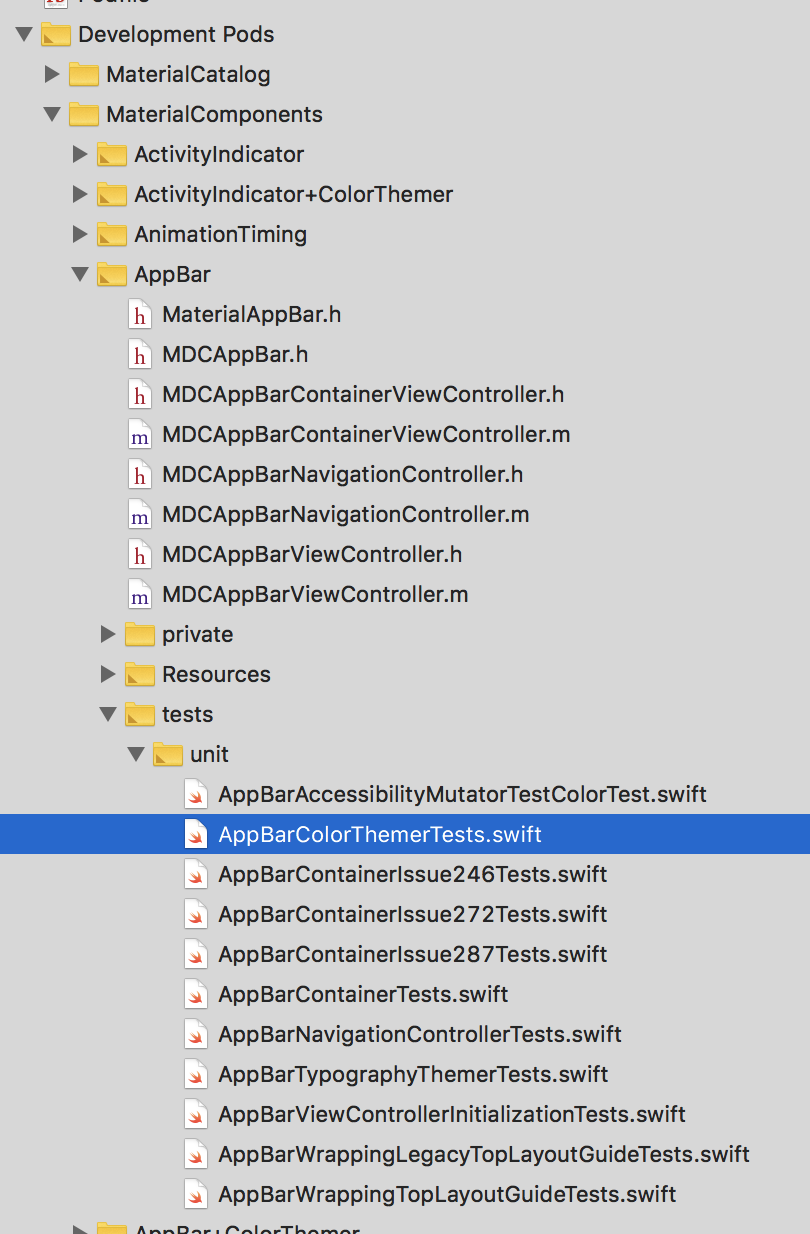
- The tests/ folder now appears as a sub-group for each component in the MaterialComponents development pod group. This will have a big impact on day-to-day workflow. Previously our tests lived in a sibling group to our components, making it somewhat difficult to navigate back-and-forth in Xcode.
- pod lib lint is now able to run our unit tests.
- Our tests can now explicitly declare their dependencies.

Some caveats:

- Each component now needs a test_spec subspec definition. This is a minor detail and one that doesn't add much extra work when creating a new component (we continue to just copy the existing templates).
- When adding a new test_spec, we also need to add the test_spec to our MDCCatalog Podfile under the `:testspecs` list. This is a bit annoying, but only happens when new components are created (very infrequent). This is a good case of the cost here being outweighed by the benefits above (which affect our daily workflow).

## Screenshot

<img width="405" alt="screen shot 2018-09-22 at 9 40 17 pm" src="https://user-images.githubusercontent.com/45670/45920647-33f4c180-beb0-11e8-94bc-88f3450c9e0a.png">
Adding the navigation drawer component that adds a presentation controller for showing UIViewControllers as a bottom drawer.

History of the component (last CL submitted for it): cl/209765207
Design doc: go/mdc-ios-navigation-drawer

This component will be the first alpha component in this repo, this means that it can still change and will not be included as part of the podspec at first.
The intent of the Alpha program is to provide a place for component code to land that may not be fully ready for production, but for which we still want active collaboration with the team and potentially some early adoption with select clients.

Any new component that we implement will first land in the MaterialComponentsAlpha.podspec as a subspec, similar to how components are defined in the MaterialComponents.podspec.

Alpha components will appear in MDCCatalog and MDCDragons along with all of their examples and unit tests after a `pod install`. From the point of view of our catalogs, these components are just like any other.

From the point of view of the public, Alpha components are not made available as part of our published pod. External clients that wish to use an Alpha component in their app will need to manually clone the repo and add the code to their project. This is by design.

Alpha components are not subject to our deprecation policy and we will not provide behavioral flags for gradual migration of runtime behaviors.

Changes to Alpha components will have **no** effect on our release version numbers.

Once a component is ready for general production use, we will graduate the component to the MaterialComponents.podspec. At this point the component will be subject to all of the processes and expectations that any other production component.