{MDC iOS} No longer using `-init` for Color Scheme.

Based on the discussions in go/mdc-ios-theming, we should not use the `-init` default initializer. Instead, we should use an explicit set of defaults.

Search regex: '\[\[MDCSemanticColorScheme alloc\] init\]'
This add the shape theming doc generation for our components. Same as we did for color, we are adding the shape theming template so then it can be easily generated for our docs. I will generate the shape theming docs for our components in a follow up PR.
This PR adds a new script, `scripts/generate_readme`, which will generate a root README.md file for a component from the component's docs/ content.

The advantages of this script over our current process of writing readmes:

- Documentation articles can be broken out into separate files, making it easier to generate and apply templates.
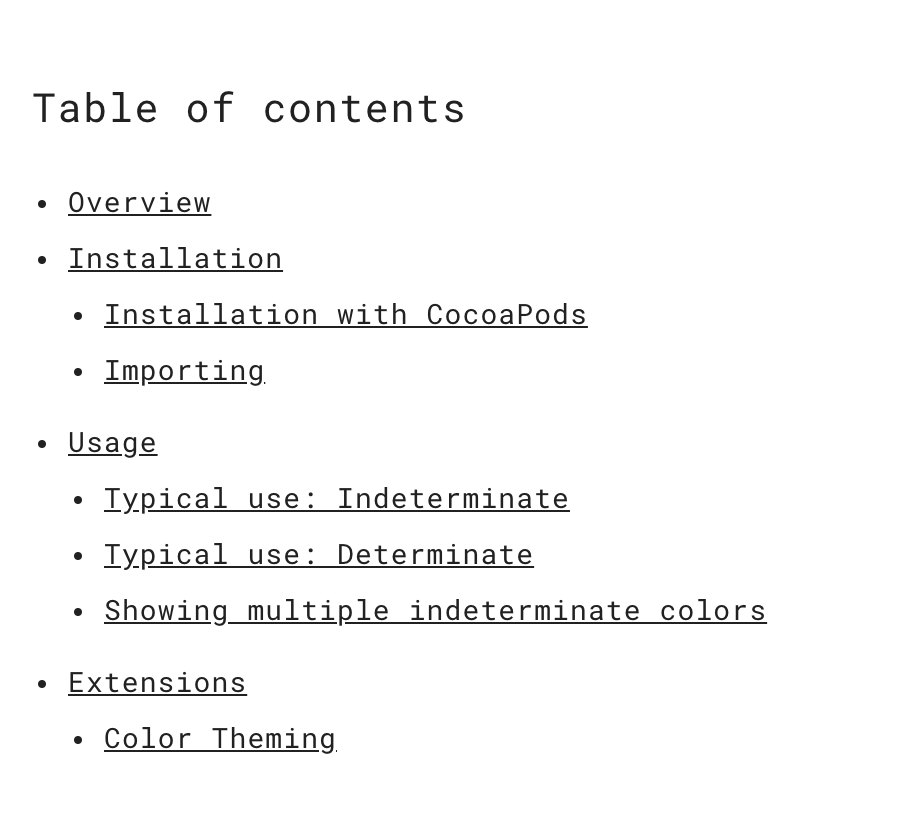
- Our component readmes now have auto-generated table of contents.
- Our documentation can be written in plain markdown with minimal material.io html magic.
- Having docs in separate files doesn't result in multiple "component pages" on material.io - everything ends up in a single component document on the site. E.g. the "Color Theming" article no longer shows up as its own link on material.io.

Example usage:

```bash
./scripts/generate_readme ActivityIndicator
```

---

The script makes the following assumptions:

A component has the following directory structure:

```
components/
  Component/
    README.md <- The component's main readme.
                 This is the readme that will show up on material.io.
    docs/
      README.md       <- A skeletal readme with links to other docs files.
      some-article.md <- An article that may be linked to.
```

`components/Component/docs/README.md` is treated as a standard markdown file, with the additional interpretations:

```
* [Text](url)
Treated as an icon list for the material.io website.
If the url links to any go/design- url, the link will use the spec icon

- [Text](some-article.md)
Indicates that the linked article should be added verbatim to the main README.md

<!-- toc -->
A table of contents should be generated here.
```

The script then does the following:

1. Generates a template README from the component's .vars file.
2. Appends the component's docs/README.md to the readme.
3. Rewrites any asset and relative url paths.
4. Transforms all `* [text](link)`-formatted link lists into icon-list lists.
4b. If an icon list url points to a design site, the spec icon will be used for the list item.
5. Replaces every `- [text](link)`-formatted link list item with the contents of the file.
6. Generates a table of contents if `<!-- toc -->` is found. The table of contents will include all level 2 and 3 headers found after the toc tag.
7. Copies the output to the component's root README.md.

The implication of this script is that we can now write documentation as small files which are easier to templatize. These smaller files can be aggregated together into a single larger README.md that is consumable by the material.io website.

Example of table of contents on material.io:

<img width="460" alt="screen shot 2018-05-01 at 9 07 31 am" src="https://user-images.githubusercontent.com/45670/39473887-1fa6c85c-4d1f-11e8-8620-d6b151a315c6.png">
The added script allows a component to apply the template in an automated fashion.

```
Usage: ./scripts/apply_template <ComponentName> <path_to_.template_file>

Copies the template into the component directory and replaces all of the symbols defined
in the component's .vars file.

.vars files should be placed in the root of the component's directory.
Example: components/ActivityIndicator/.vars

Each line of the .vars file should be of the form symbol=replacement.
Example:
component=ActivityIndicator
component_name=Activity Indicator

This script will replace all instances of <#symbol#> in the .template with the given
replacement.

Example usage: ./scripts/apply_template ActivityIndicator scripts/templates/component/docs/ColorTheming.md.template
```