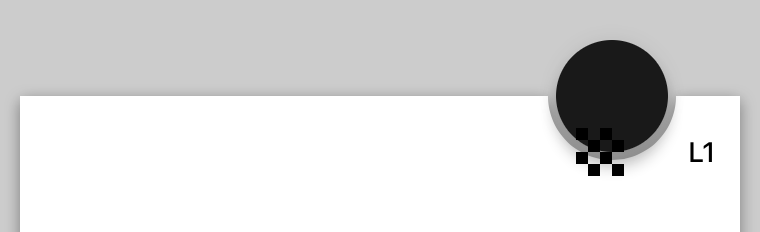
There are two related fixes involved here:

1. The horizontal shift animations were using the default CABasicAnimation timing function, Linear. These have been adjusted to EaseInEaseOut to match the guidelines.
2. The shadow was doing a wonky "bounce" animation by always animating to an elevation of 1 followed by an animation to the target elevation. This bounce animation has been removed.

Note that, while the bouncing has been removed, the shadow now does not animate at all. This is intentional for two reasons:

1. The shadow is expected to swap z-ordering with the bottom bar.
2. The animation is very subtle.

The result of these two constraints is that if we animate the shadow to the secondary position, then we need to change the z-order at the end of the animation. This would result in the shadow being "clipped" by the bar as the shadow moves from the foreground to the background. This ends up being more visible than the animation itself, and more distracting than the lack of an animation.

We could animate to the primary position, but at this point handling this logic would add complexity for a very subtle effect that doesn't necessarily improve the effect.

PiperOrigin-RevId: 326713093
Clients may want to support ripple throughout their application and be using MDCBottomAppBar. Since the bottom app bar does not expose it's navigation bar we need to have a pass through property to enable the ripple in the navigation bar. Users shouldn't get any ripple effect on the bar itself so we don't need any additional support other than what the navigation bar has. If clients want to enable it on the floating action button that is exposed so they can do so. This change also allows them to customize the ripple color.

PiperOrigin-RevId: 306278679
This allows our UI test runner to fetch the catalog by convention tree at runtime in order to generate dynamic test runners that walk the entire catalog by convention tree without requiring maintenance of an explicit list of breadcrumbs.

In this change I have replaced the explicit list of components with such a dynamic walker. In a follow-up change we will be able to dynamically walk through every node of the three and take screenshots. In a subsequent change from there we may allow certain nodes to implement "testActionStart" and "testActionStop" methods that allow the test runner to invoke certain canonical actions automatically (e.g. present a dialog).

A couple examples are flaky, so a new convention has been added to those examples of providing a "flaky" tag on the example's metadata. If this flag is YES, then the example will not be snapshotted.

PiperOrigin-RevId: 306214455
Context:

Due to changes in the Swift runtime over the past years, methods that are considered "optional" in Objective-C need to have @objc annotations in order for Objective-C to be able to perform `respondsToSelector:` invocations.

Problem:
Many of our examples had not annotated their `catalogShouldHideNavigation` methods with the `@objc` annotation, causing the Catalog to wrap the examples in a container app bar view controller. The reason most of these examples would implement `catalogShouldHideNavigation` is because they are managing their own navigation (e.g. to demonstrate AppBar functionality), so this would often result in duplicate AppBars appearing in the example.

The fix:
All `catalogShouldHideNavigation` Swift methods have been annotated with `@objc`.

Fixes https://github.com/material-components/material-components-ios/issues/7576
Fixes https://github.com/material-components/material-components-ios/issues/7578
The property type for `elevationDidChangeBlock` declared in `MDCElevatable` should not be changed when declaring the property in headers. If it is, the compiler can generate a warning or error because the types are incompatible.
Closes#8105
The bottom app bar needs an API so clients can hook-in to trait collection changes. This additionally passes the bottom app bar as a parameter so clients can modify the bottom app bar within the block.
Closes#7927
We need to add @objc annotations to colorScheme and typographyScheme instances in our Swift examples, because we moved to Swift 4.2, the respondsToSelector won't find `setColorScheme:` and `setTypographyScheme:` setters otherwise.
This is a follow up PR for #7166 adds @objc annotations to Swift catalogMetadata() methods, because the Swift 4 compiler no longer attempts to infer what methods should be visible to Objective-C. As a result of this change in the compiler, no Swift examples were showing up in Dragons after #7166. See this article: https://useyourloaf.com/blog/objc-warnings-upgrading-to-swift-4/ for additional context.
We have had errors when generating the docs using jazzy specifically around components giving a fatal error around not finding imports when depending on other components. This is because each component for jazzy is isolated and on its own unless we provide the framework root. This caused our website generator to crash each time and fail to generate a new website.

This should resolve this problem.

QA=
Before the fix when running the website generator we got these errors:
```
/material-components-ios/components/BottomAppBar/src/MDCBottomAppBarView.h:17:9: fatal error: 'MaterialButtons.h' file not found
building site
building search index
^C/Library/Ruby/Gems/2.3.0/gems/rouge-3.1.1/lib/rouge/lexer.rb:458:in `load': Interrupt
	from /Library/Ruby/Gems/2.3.0/gems/rouge-3.1.1/lib/rouge/lexer.rb:458:in `load_lexer'
	from /Library/Ruby/Gems/2.3.0/gems/rouge-3.1.1/lib/rouge.rb:50:in `block in <top (required)>'
	from /Library/Ruby/Gems/2.3.0/gems/rouge-3.1.1/lib/rouge.rb:49:in `each'
	from /Library/Ruby/Gems/2.3.0/gems/rouge-3.1.1/lib/rouge.rb:49:in `<top (required)>'
	from /Library/Ruby/Gems/2.3.0/gems/jazzy-0.9.3/lib/jazzy/jazzy_markdown.rb:2:in `require'
	from /Library/Ruby/Gems/2.3.0/gems/jazzy-0.9.3/lib/jazzy/jazzy_markdown.rb:2:in `<top (required)>'
	from /Library/Ruby/Gems/2.3.0/gems/jazzy-0.9.3/lib/jazzy/doc.rb:7:in `require'
	from /Library/Ruby/Gems/2.3.0/gems/jazzy-0.9.3/lib/jazzy/doc.rb:7:in `<top (required)>'
	from /Library/Ruby/Gems/2.3.0/gems/jazzy-0.9.3/lib/jazzy/config.rb:5:in `require'
	from /Library/Ruby/Gems/2.3.0/gems/jazzy-0.9.3/lib/jazzy/config.rb:5:in `<top (required)>'
	from /Library/Ruby/Gems/2.3.0/gems/jazzy-0.9.3/lib/jazzy.rb:1:in `require'
	from /Library/Ruby/Gems/2.3.0/gems/jazzy-0.9.3/lib/jazzy.rb:1:in `<top (required)>'
	from /Library/Ruby/Gems/2.3.0/gems/jazzy-0.9.3/bin/jazzy:13:in `require'
	from /Library/Ruby/Gems/2.3.0/gems/jazzy-0.9.3/bin/jazzy:13:in `<top (required)>'
	from /usr/local/bin/jazzy:22:in `load'
	from /usr/local/bin/jazzy:22:in `<top (required)>'
	from /Library/Ruby/Gems/2.3.0/gems/bundler-2.0.1/lib/bundler/cli/exec.rb:74:in `load'
	from /Library/Ruby/Gems/2.3.0/gems/bundler-2.0.1/lib/bundler/cli/exec.rb:74:in `kernel_load'
	from /Library/Ruby/Gems/2.3.0/gems/bundler-2.0.1/lib/bundler/cli/exec.rb:28:in `run'
	from /Library/Ruby/Gems/2.3.0/gems/bundler-2.0.1/lib/bundler/cli.rb:463:in `exec'
	from /Library/Ruby/Gems/2.3.0/gems/bundler-2.0.1/lib/bundler/vendor/thor/lib/thor/command.rb:27:in `run'
	from /Library/Ruby/Gems/2.3.0/gems/bundler-2.0.1/lib/bundler/vendor/thor/lib/thor/invocation.rb:126:in `invoke_command'
	from /Library/Ruby/Gems/2.3.0/gems/bundler-2.0.1/lib/bundler/vendor/thor/lib/thor.rb:387:in `dispatch'
	from /Library/Ruby/Gems/2.3.0/gems/bundler-2.0.1/lib/bundler/cli.rb:27:in `dispatch'
	from /Library/Ruby/Gems/2.3.0/gems/bundler-2.0.1/lib/bundler/vendor/thor/lib/thor/base.rb:466:in `start'
	from /Library/Ruby/Gems/2.3.0/gems/bundler-2.0.1/lib/bundler/cli.rb:18:in `start'
	from /Library/Ruby/Gems/2.3.0/gems/bundler-2.0.1/exe/bundle:30:in `block in <top (required)>'
	from /Library/Ruby/Gems/2.3.0/gems/bundler-2.0.1/lib/bundler/friendly_errors.rb:124:in `with_friendly_errors'
	from /Library/Ruby/Gems/2.3.0/gems/bundler-2.0.1/exe/bundle:22:in `<top (required)>'
	from /usr/local/bin/bundle:22:in `load'
	from /usr/local/bin/bundle:22:in `<main>'
/material-components-site-generator/scripts/lib/reporter.js:36
      throw e;
      ^

Error: Command failed: bundle exec jazzy         --output "/material-components-site-generator/.stage/ios/catalog/bottomnavigation/api-docs/"         --theme "/material-components-site-generator/ios-api-docs-src/theme"         --head '/components'         --use-safe-filenames
    at checkExecSyncError (child_process.js:601:13)
    at execSync (child_process.js:641:13)
    at JazzyApiGenerator.build (/material-components-site-generator/scripts/lib/jazzy-api-generator.js:34:5)
    at PlatformSite.generateApiDocs (/material-components-site-generator/scripts/lib/platform-site.js:212:17)
    at platformSites.forEach (/material-components-site-generator/scripts/build:86:14)
    at Array.forEach (<anonymous>)
    at reporter.step (/material-components-site-generator/scripts/build:85:21)
    at Reporter.step (/material-components-site-generator/scripts/lib/reporter.js:32:22)
    at Object.<anonymous> (/material-components-site-generator/scripts/build:84:14)
    at Module._compile (module.js:652:30)
    at Object.Module._extensions..js (module.js:663:10)
    at Module.load (module.js:565:32)
    at tryModuleLoad (module.js:505:12)
    at Function.Module._load (module.js:497:3)
    at Function.Module.runMain (module.js:693:10)
    at startup (bootstrap_node.js:191:16)
    at bootstrap_node.js:612:3
```
Now we no longer get fatal errors or crash when running the script.
[BottomAppBar] Fix it/bottom app bar cut out (#5958)

### Context
FABs can be circular or pill-shaped. As described in #5414, the cutout on BottomAppBar does not take into account pill-shaped FABs.

### The Problem
The UIBezierPath used in the current implementation draws a half circle where the FAB appears. For pill-shaped FABS, this doesn't work, as the cutout needs to made up of two quarter circle and a line connecting them.

### The Fix
I implemented a UIBezierPath that is made up of two quarter circles connected by a line, as well as the remainder of the rectangle that makes up the BottomAppBar's background. By doing so, I was able to provide **one** bezier path for both circular and pill-shaped cutouts, and **one** bezier path for a non-cutout version of the rectangle. This results in a smooth animation between the cutout and non-cutout state.

See https://stackoverflow.com/a/9522806 for an explanation of why the cutout and non-cutout bezier paths need to have the same general structure (e.g. number of path elements, and element types).
### Context
FABs can be circular or pill-shaped. As described in #5414, the cutout on BottomAppBar does not take into account pill-shaped FABs.

### The Problem
The UIBezierPath used in the current implementation draws a half circle where the FAB appears. For pill-shaped FABS, this doesn't work, as the cutout needs to made up of two quarter circle and a line connecting them.

### The Fix
I implemented a UIBezierPath that is made up of two quarter circles connected by a line, as well as the remainder of the rectangle that makes up the BottomAppBar's background. By doing so, I was able to provide **one** bezier path for both circular and pill-shaped cutouts, and **one** bezier path for a non-cutout version of the rectangle. This results in a smooth animation between the cutout and non-cutout state.

See https://stackoverflow.com/a/9522806 for an explanation of why the cutout and non-cutout bezier paths need to have the same general structure (e.g. number of path elements, and element types).