This delegate method allows clients to have one ripple touch controller control multiple ripple views. Also gives them more flexibility on the creation and reusing of ripple views.

PiperOrigin-RevId: 317614179
Follow-up to https://github.com/material-components/material-components-ios/pull/8808

Part of https://github.com/material-components/material-components-ios/issues/6913

From the docs:

tl;dr: If you are adding ripples to views with custom `layer.shadowPath` values, please disable
`usesSuperviewShadowLayerAsMask` and assign an explicit layer mask to the ripple view if needed
instead. usesSuperviewShadowLayerAsMask will eventually be disabled by default and then deleted.

MDCRippleView currently implements a convenience behavior that will inherit its parent view's
`layer.shadowPath` as the mask of the ripple view itself. This works for the general case where the
ripple view's frame equals the bounds of its super view, but behaves unexpectedly for any other
frame of the ripple view.

Due to the brittleness of this behavior, a new migration property, `usesSuperviewShadowLayerAsMask`,
has been added that will allow you to disable this behavior in favor of a more explicit
determination of the ripple's layer mask.

Example usage:

<!--<div class="material-code-render" markdown="1">-->
#### Swift
```swift
// During initialization:
rippleView.usesSuperviewShadowLayerAsMask = false
// Simple example of applying a mask to the ripple view using the ripple view's bounds:
let rippleViewMask = CAShapeLayer()
rippleViewMask.path = UIBezierPath(rect: rippleView.bounds).cgPath
rippleView.layer.mask = rippleViewMask
```
#### Objective-C
```objc
// During initialization:
rippleView.usesSuperviewShadowLayerAsMask = NO;
// Simple example of applying a mask to the ripple view using the ripple view's bounds:
CAShapeLayer *rippleViewMask = [[CAShapeLayer alloc] init];
rippleViewMask.path = [UIBezierPath bezierPathWithRect:rippleView.bounds].CGPath;
rippleView.layer.mask = rippleViewMask;
```
<!--</div>-->
These tests demonstrate how a ripple view added as a subview can end up with an incorrect layer mask if the ripple view's frame does not match the bounds of the parent view and the parent view's layer has a shadowPath. All of the tests intentionally pass, with the final test demonstrating the incorrect behavior.

In a follow-up change, I will be adding a behavioral flag to turn off this unexpected behavior in favor of a more explicit approach to configuring the ripple view's layer mask.

Part of https://github.com/material-components/material-components-ios/issues/6913
Changes:
- Create new initializer that allows to defer adding `MDCRippleView` to the a provided view
- Add `MDCRippleView` on first touch down if YES was passed in as deferred parameter
- Lazy getter for `rippleView`
- As `rippleView` property is not supposed to be overwritten always use `_rippleView` instance variable within touch controller
- Cache all delegate methods for faster lookup if a delegate responds to a selector

Determined improvements:
- Reduce memory overhead and safes a couple of cycles due to creation of `MDCRippleView` lazily
- Reduce overhead for adding / removing `MDCRippleView` to view hierarchies
- Reduce overhead of having the `MDCRippleView` that most of the time is hidden within view hierarchies as it will only get's added and immediately removed if needed
Updates the BUILD file to use more Starlark macros. Also drops the `includes`
update from the private target and fixes the imports in unit tests.

Part of #8150
All components should have a top-level umbrella header for their includes.
This allows easier refactoring of classes and files within the component.
Creating an umbrella for Color and using it outside the component.

Part of #8086
In #7357 the `maximumRadius` API was added to Ripple along with unit test. This adds a snapshot test to make sure that we do not regress this behavior visually in the future.
Add maxRippleRadius property to MDCRippleView. This allows clients to set the maximum size a ripple should expand if rippleStyle is set to MDCRippleStyleUnbounded. This property is part of the Ink component and in order to make transitions easier for clients from Ink to Ripple this property is necessary. Additionally this allows icon button to be supported as a button with only an icon has a different ripple than a button without an icon or with an icon and text.
Closes#7338
This change modifies the rippleRadius ivar to make it a property. This exposes it in the private header of the MDCRippleLayer.h so that later if we need to modify the rippleRadius to support min/max values we can. This change also allows us to test this property.
In order for MDCRipple to support customizable ripple size the superview needs to be able to adjust the ripple view's frame. By setting the frame to the superview's frame it overrides whatever the superview sets within its layoutSubviews method. This removes that override to allow for a more customizable ripple.
Closes#7329
This snapshot test is added to test the behavior when the rippleHighlighted is set to YES and the ripple is then dissolved because there is no check in the implementation to only dissolve when rippleHighlighted is set to NO.

This is a pre-snapshot test to successfully test PR: #7274
Add support of adding Ripple anywhere in the view hierarchy using the rippleTouchController's delegate and added an initializer that doesn't add the ripple as a subview straight away.

This PR provides these changes to the RippleTouchController class:
1. Adds a `init` initializer and turns `initWithView` to a convenience initializer. This allows users to add the view that owns the tap gesture and have the ripple as its subview to be added at a later time.
2. Provided a new method to the RippleTouchControllerDelegate that is optional and if conformed to allows users to decide where in the view hierarchy the ripple view should be added.

Both changes above allow the MDCRippleTouchController to better support the API of the MDCInkTouchController when migration comes. Also this change won't break existing clients who already use the RippleTouchController.

Unit tests provided for the added API.

Closes b/128908674
Snapshot tests stopped running after https://github.com/material-components/material-components-ios/pull/6580. I think this PR fixes it.
Cocoapods 1.6.0 creates a selected "white lego" test target for each unit test `test_spec` in a podspec. However, it did not do so for our snapshot tests. Instead, it created a single unselectable `MaterialComponentSnapshotTests` build target with the red and white target icon.
I moved the snapshot testing related files like `MaterialSnapshot.h` to a regular `subspec`, as opposed to a `test_spec`. After this change, Cocoapods 1.6.0 created selected "white lego" snapshot testing targets, just like with the unit tests. I guess it's bad to have test_specs within subspecs that don't have any source files?
EDIT: What I described above was only the beginning. I had to do a lot more to get everything working. Because Cocoapods 1.6.0 makes each `test_spec` into its own test target I had to create additional Swift dummy files to evade the [-lswiftSwiftOnoneSupport](https://github.com/material-components/material-components-ios/blob/develop/components/Cards/tests/snapshot/Dummy.swift#L17) linker error that Rami discovered when first adding Snapshot testing. I also had to add these Swift files to BUILD files. We might be able to get rid of these if we only depend on `iOSSnapshotTestCase/Core` (which is the same thing as `iOSSnapshotTestCase` but without Swift support) and commit to writing only Obj-C snapshot tests.
I also had to add two Objective-C dummy source files at the top level of the `MaterialComponentsSnapshotTests` podspec, and to the `private/Snapshot` BUILD file. I don't know why these source files were required. I arrived at this after much trial and error, which is not ideal. I want to try to get rid of them if possible, but I think they should go in for now, just so we can get this stuff working again.
Lastly, I had to disable bitcode everywhere. For some reason, the fact that `iOSSnapshotTestCase` explicitly disables bitcode is now a problem for us, where it wasn't before. From what I read on various blog posts, if an app target's dependency explicitly disables bitcode, an app target cannot enable it. Again, I don't know why this is only now a problem. This change on my part is the result of reading linker error messages and taking their advice. Right now I'm just disabling it everywhere in the `post_install`. We might be able to get away with only disabling it in MDCDragons and MDCDragons and just committing that to version control. I plan to look into that after this gets merged in.
I'm hoping that some of the changes in this PR can be undone at a later date, preferably soon. There is a chance that only depending on `iOSSnapshotTestCase/Core` and removing our snapshot tests from the Dragons and Catalog schemes and putting them in their own app target _could_ go a long way towards doing this.
Closes#6609
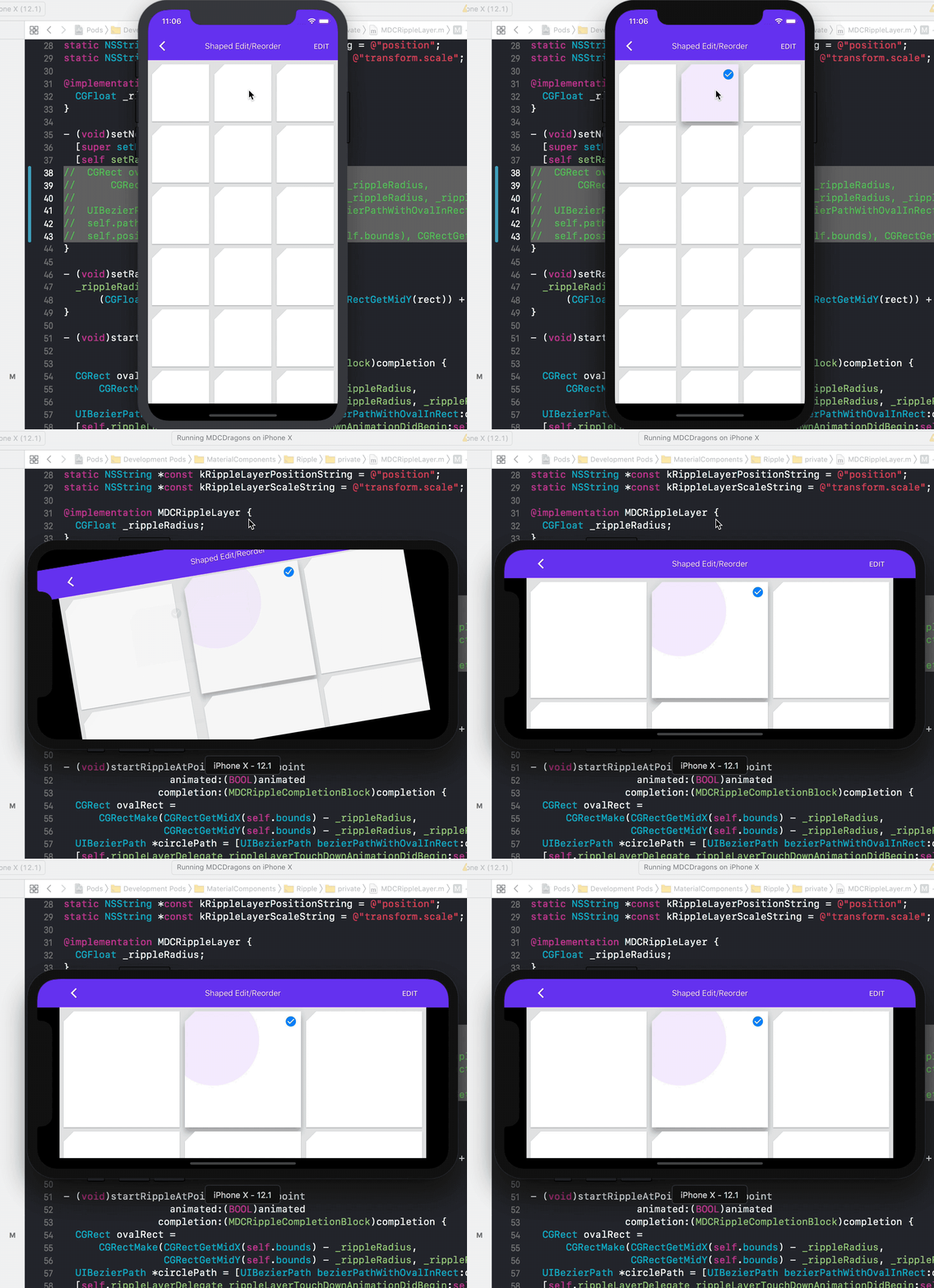
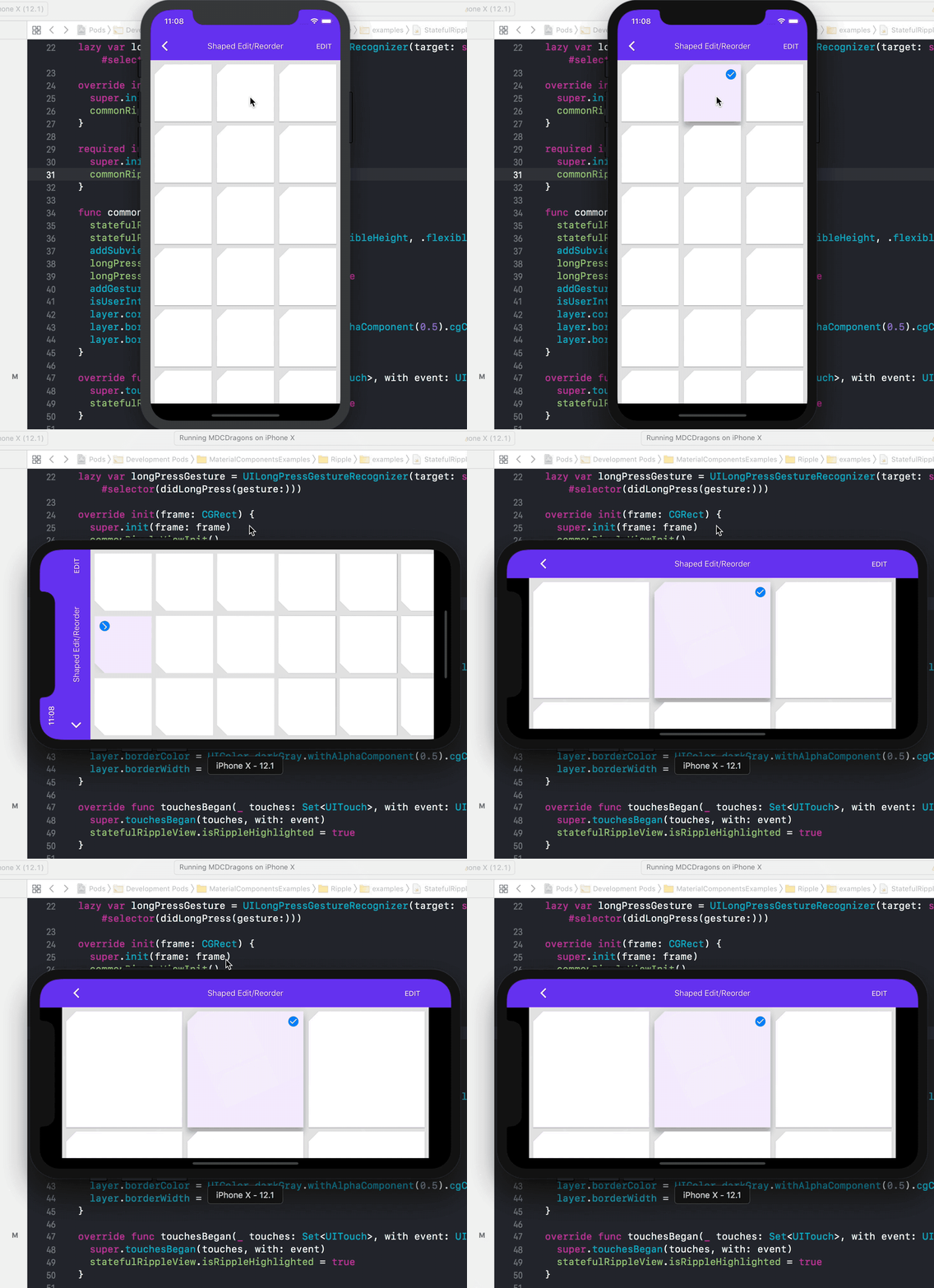
This fixes a long standing issue in our Ink/Ripple implementation where with auto layout the ink view doesn't fit itself correctly when there is a re-layout, as an example during an orientation change.
There were a few things needed to be fixed/added to be able to make the Ripple work correctly:
1. every time MDCRippleView lays out its view, the MDCRippleLayer sublayers need to receive the new bounds and need to lay out the ripple based on the new bounds.
2. The MDCRippleView should at all times be the size of it's superView.
2. When an MDCRippleLayer exists and needs to be laid out again, it needs to recalculate the ripple layer's position and path. This can happen as an example during a ripple animation when an orientation change occurs. This can also happen when there is a ripple overlay that isn't transient is on a surface and there is an orientation change.
3. Lastly, moving the MDCRippleLayer animations away from `removeOnCompletion = NO;` to having the final visual values be set prior to the animation, solves an issue where a `setNeedsLayout` reverts certain animations (an animation over layer.position) back to their original values and causes the ripple to be incorrectly centered.
Resolves#4533Resolves#4603
Below are provided gifs showing the fix.
Before:
After:
The Ripple unit test was attempting to grab `CACurrentMediaTime()` but that
resulted in a flaky test if there was any delay between the method invocation
and when the time was recorded. Instead, we should probably just inspect the
timing between when the touch began and the expected start of the ripple end
animation.
Closes#6313
This PR includes the ripple implementation that is up to date with Material design and motion guidelines.

A ripple by definition is a visual form of feedback for touch events providing users a clear signal that an element is being touched. The ripple effect is a core functionality for components such as buttons, cells, cards, etc.

This will eventually succeed the outdated Ink component, and is currently being added under MaterialComponentsBeta.

There are unit tests and an example included to this PR.

The full design doc can be found here: go/ripple-ios-revisited


